Why Is My iPhone Battery Draining So Fast? (And How to Fix It)
Is Your iPhone Battery Letting You Down?
You charged your iPhone overnight, and by lunchtime it is already at 20%. Sound familiar? Fast battery drain is one of the most common iPhone complaints and the good news is that it is usually fixable without buying a new phone.
In this guide, we will walk you through the most likely causes and what you can do about each one.
1. Your Battery Health Has Dropped Below 80%
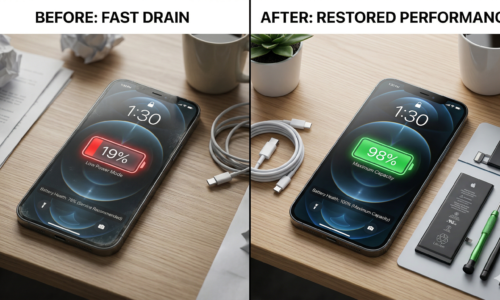
iPhone batteries are designed to retain up to 80% of their original capacity after around 500 full charge cycles. Once they drop below that threshold, you will notice a significant difference in how long your phone lasts through the day.
You can check this yourself by going to Settings > Battery > Battery Health and Charging. If it reads below 80%, a battery replacement is almost always the most cost-effective solution.
2. Too Many Apps Running in the Background
Apps refreshing in the background are a silent battery killer. Social media apps in particular are known to consume power even when you are not actively using them.
To reduce this, go to Settings > General > Background App Refresh and turn it off for apps that do not need constant updates.
3. Screen Brightness and Always-On Features
A bright screen is one of the biggest drains on your battery. If you have auto-brightness turned off or your screen timeout is set too long, your battery will suffer.
Try enabling auto-brightness under Settings > Accessibility > Display and Text Size, and reduce your screen timeout to 30 seconds or 1 minute.
4. Location Services Running Non-Stop
Many apps request “always on” location access, which quietly drains your battery around the clock. Go to Settings > Privacy and Security > Location Services and set most apps to “While Using” instead of “Always.”
5. An Outdated iOS Version
Apple regularly releases iOS updates that include battery performance improvements and bug fixes. Running an older version of iOS can sometimes cause abnormal battery drain. Always keep your iPhone updated by checking Settings > General > Software Update.
6. The Battery Simply Needs Replacing
If you have tried all of the above and your battery is still draining fast, the battery itself is likely the issue. iPhone batteries degrade naturally over time and are not designed to last forever. A professional iPhone battery replacement is a quick, affordable fix that can make your phone feel brand new again and at Repairs 526 in Hyde, it can be done the same day with no appointment needed.
Frequently Asked Questions
How do I know if my iPhone battery needs replacing? If your battery health is below 80%, your phone shuts down unexpectedly, or it drains from full to empty in just a few hours, it is time for a replacement.
How long does an iPhone battery replacement take? At Repairs 526 in Hyde, most battery replacements are completed within 30 to 45 minutes while you wait.
Is it worth replacing an iPhone battery? In most cases, yes. A battery replacement costs a fraction of what a new iPhone would, and it can restore your phone’s performance significantly.
Conclusion
Fast battery drain is frustrating, but it rarely means you need a new phone. Start with the software fixes above, check your battery health, and if the battery is the problem, a same-day replacement at Repairs 526 in Hyde will sort it out quickly and affordably.
📍 Unit 1, The Mall, Clarendon Square, Hyde SK14 2QT 📞 0161 368 9469 | +44 7526 969620