PS5 Not Turning On? Here Is What Could Be Wrong
Why Won’t My PS5 Turn On?
You sit down for a gaming session, grab the controller, press the power button, and nothing happens. Maybe it beeps once and dies. Maybe you are staring at the dreaded PS5 Blue Light of Death, or your TV is showing a stubborn black screen.
A dead PS5 is every gamer’s worst nightmare, especially when you have no idea what is causing it. Before you panic, take a breath. Many of the most common power issues are things you can check yourself at home. Here is exactly where to start.
Quick fixes to try right now:
- Inspect the power cable and wall socket
- Force a full restart from Rest Mode
- Clean the vents to prevent thermal shutdowns
- Boot into Safe Mode to fix software corruption
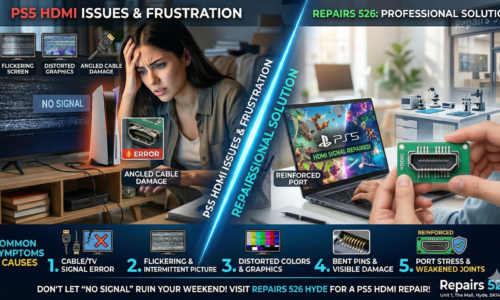
- Check if a faulty HDMI port is causing a black screen
- Book a free diagnostic for internal hardware faults
1. Check the Power Cable and Socket
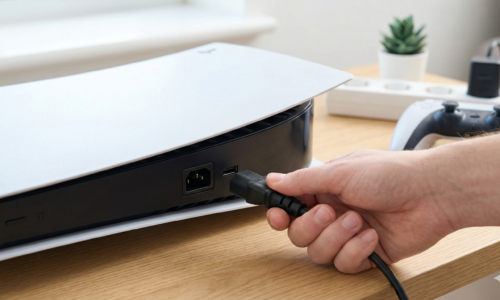
It sounds obvious, but a loose power cable is one of the most common reasons a PS5 appears completely dead. Make sure the cable is firmly connected at both ends, to the back of the console and the wall socket. Try plugging directly into a wall outlet rather than an extension lead, or test with a different IEC cable if you have one at home.
2. The Console Is Stuck in Rest Mode
Sometimes a PS5 freezes mid-sleep and becomes completely unresponsive. It may look like it is off, but it is actually stuck.
Hold the power button on the front of the console for at least seven seconds until you hear a second beep. This forces a hard shutdown. Wait 30 seconds, then try turning it on normally. Many users find this solves the problem instantly.
3. Overheating Causing an Automatic Shutdown
The PS5 has built-in thermal protection that shuts the console down if it gets too hot. If your console is inside a tight cabinet or has dust blocking the vents, it may be cutting out before it even finishes booting.
Make sure the PS5 has at least 10cm of clear space on all sides. Clean the vents gently with compressed air. If overheating keeps happening, the internal fan may be clogged or the thermal paste may need professional replacement.
4. Software or Firmware Corruption
A failed system update or a sudden power cut can corrupt the PS5 firmware and prevent it from booting, often triggering the Blue Light of Death. In this case, you need Safe Mode.
Hold the power button for around seven seconds until you hear the second beep, then connect your DualSense controller via USB. From the Safe Mode menu, try “Clear Cache and Rebuild Database” or “Update System Software” using a USB drive with the latest firmware from PlayStation’s official website.
5. A Faulty HDMI Port Making It Seem Dead
This one catches a lot of people out. If your PS5 powers on but your screen stays black, the console itself may be fine. Try a different HDMI cable and a different port on your TV first. If the pins inside the HDMI port on the console look bent or pushed in, that is physical damage and will need a professional repair.
6. Internal Hardware Fault
If your PS5 beeps once and shuts off, or shows absolutely no signs of life after trying everything above, there is likely an internal hardware issue. This could be a blown power supply, a shorted motherboard component, or liquid damage. These are not fixes to attempt at home, but they are exactly the kind of faults a trained technician can diagnose and resolve.
At Repairs 526 in Hyde, we offer a free diagnostic check on your PS5 repair before any work begins, so you always know the cost upfront with no surprises.
Frequently Asked Questions
Can a completely dead PS5 be fixed? Yes, in most cases. A PS5 that will not turn on is usually suffering from a failed power supply or a repairable motherboard issue. A free diagnostic will tell you exactly what is wrong before you commit to anything.
How long does a PS5 repair take? Most common repairs at Repairs 526 in Hyde are completed same-day or within 24 hours, depending on the fault.
Is it worth repairing a PS5 or buying a new one? A new PS5 still retails for over £400. Repairing your console is almost always significantly cheaper, and you get to keep all your saved game data too.
Get Your PS5 Back in the Game
Why spend hundreds on a new console when your current one can be brought back to life? At Repairs 526 we offer fast, reliable PS5 repairs serving Hyde, Tameside, Denton and the wider Manchester area.
Free diagnostics. Same-day turnaround on most repairs. No fix, no fee.
📍 Unit 1, The Mall, Clarendon Square, Hyde SK14 2QT 📞 0161 368 9469 | +44 7526 969620