Why is My Windows Laptop So Slow? 5 Easy Fixes (And Why You Need an SSD)
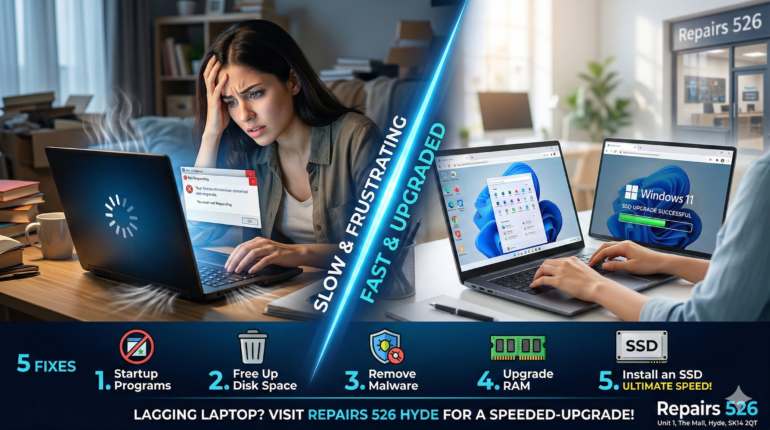
There is nothing more frustrating than sitting down to work, opening your laptop, and staring at a spinning loading wheel for ten minutes. You click an app, and the screen freezes. You open a web browser, and the fan sounds like an airplane taking off.
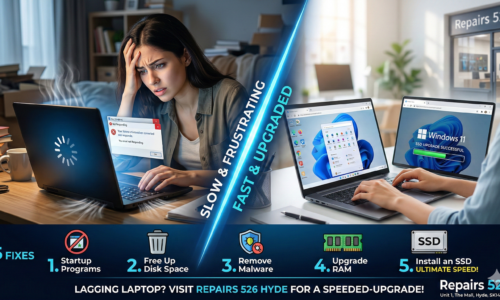
If your Windows laptop is running painfully slow, your first thought might be, “I need to buy a new one.” Wait! Before you spend hundreds of pounds on a brand new computer, you should know that most slow laptops can be brought back to life for a fraction of the cost. Here are 5 reasons your laptop is lagging, and the exact steps to fix it.
1. Too Many Startup Programs
When you turn on your computer, a dozen invisible apps might be trying to start at the exact same time Skype, Spotify, Antivirus scanners, and update managers.
The Fix: Press Ctrl + Shift + Esc to open the Task Manager. Click on the “Startup” tab and disable any programs you don’t need running immediately when you log in.
2. Your Hard Drive is Nearly Full
Computers need “breathing room” to operate smoothly. If your hard drive is 95% full of old photos, downloaded movies, and unused software, your operating system doesn’t have the space it needs to process temporary files.
The Fix: Delete large, unused files, empty your Recycle Bin, and uninstall games or software you haven’t used in the last six months.
3. Malware or Viruses
If your laptop suddenly became slow overnight, or you are seeing strange pop-up ads on your desktop, you might have accidentally downloaded malware. These malicious programs run in the background, secretly eating up your laptop’s processing power.
The Fix: Run a full system scan using Windows Defender or a trusted third-party antivirus program.
4. You Don’t Have Enough RAM
RAM (Random Access Memory) is your laptop’s short-term memory. If you love having 20 Google Chrome tabs open while listening to music and editing a document, you are putting a massive load on your RAM. If your laptop only has 4GB of RAM, it will struggle.
The Fix: Upgrading to 8GB or 16GB of RAM is a quick and affordable hardware upgrade that allows you to multitask smoothly without the system freezing.
5. The Ultimate Fix: You Still Have an Old HDD
If you have tried the steps above and your laptop still takes 10 minutes to boot up, there is one guaranteed culprit: Your laptop still has a mechanical Hard Disk Drive (HDD).
Old HDDs use physical spinning disks and a mechanical arm to read data (like a vintage record player). They are incredibly slow, prone to breaking, and completely outdated.
The Solution? An SSD Upgrade.
A Solid State Drive (SSD) uses modern flash memory with no moving parts. Upgrading your old hard drive to an SSD is the single greatest thing you can do for your laptop.
- Your laptop will turn on in seconds, not minutes.
- Apps will open instantly.
- Your battery will last longer.
- It will feel 10x faster than the day you bought it.
Don’t Buy a New Laptop Upgrade Your Old One in Hyde!
Why spend £600 on a new laptop when you can make your current one lightning-fast for a fraction of the price?
At Repairs 526, we specialize in saving our customers money. Our expert technicians can safely clone all your existing data (photos, files, and Windows OS) and transfer it directly to a brand new, high-speed SSD. You won’t lose a single file, but you will gain massive speed.
Whether you need a virus removed, a RAM boost, or a full SSD upgrade, we offer fast, reliable Windows Laptop Repair in Hyde.
Visit our tech lab today for a free diagnostic and quote!
📍 Find us locally at:
Repairs 526
Unit 1, The Mall, Clarendon Square Shopping Centre
Hyde, SK14 2QT
Skip the frustration. Bring your laptop in today or contact us here to book your speed upgrade!